
Account Deletion
You're always in control of your data. Follow these three steps inside the app to permanently delete your Changathi account.
1
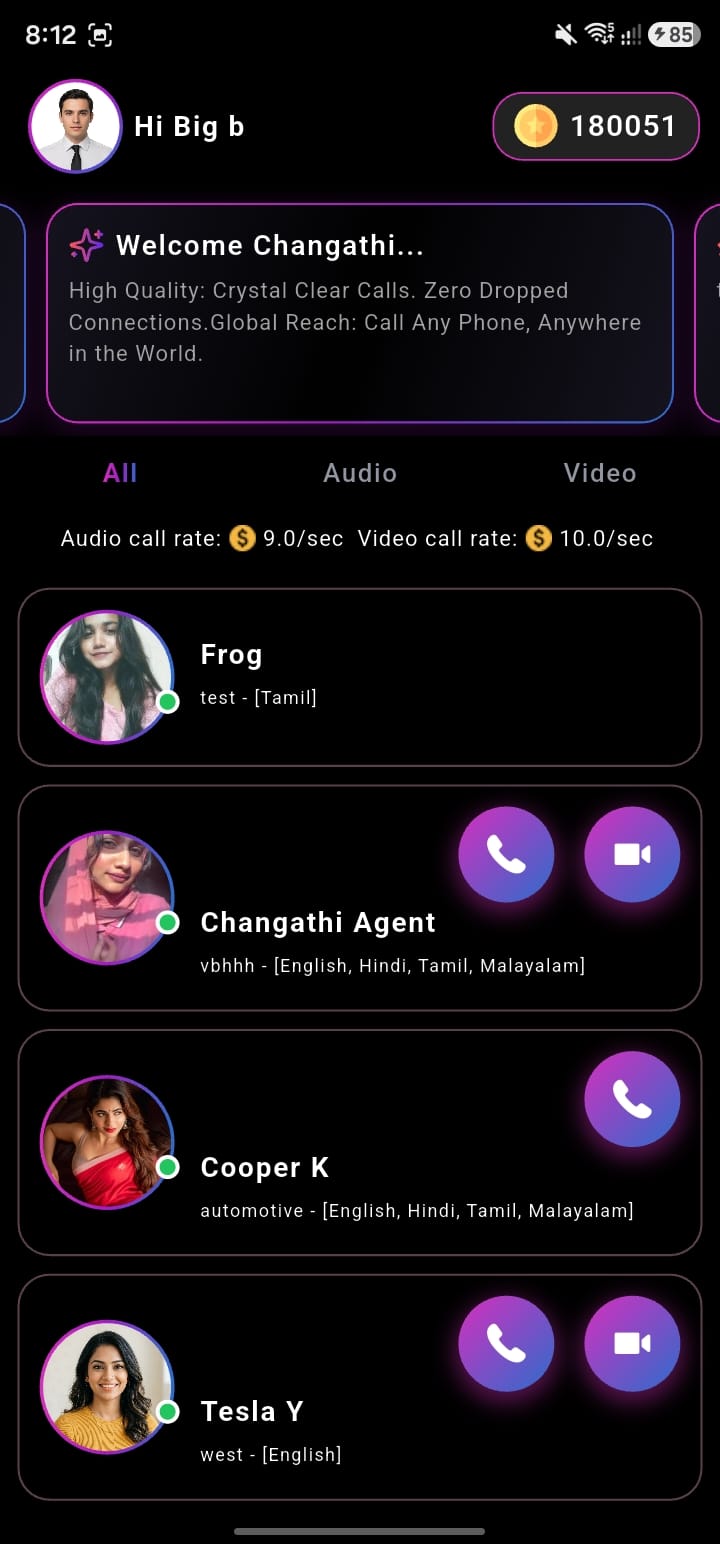
Open your Profile
Open the Changathi app and tap the Profile icon in the top-left corner.
2
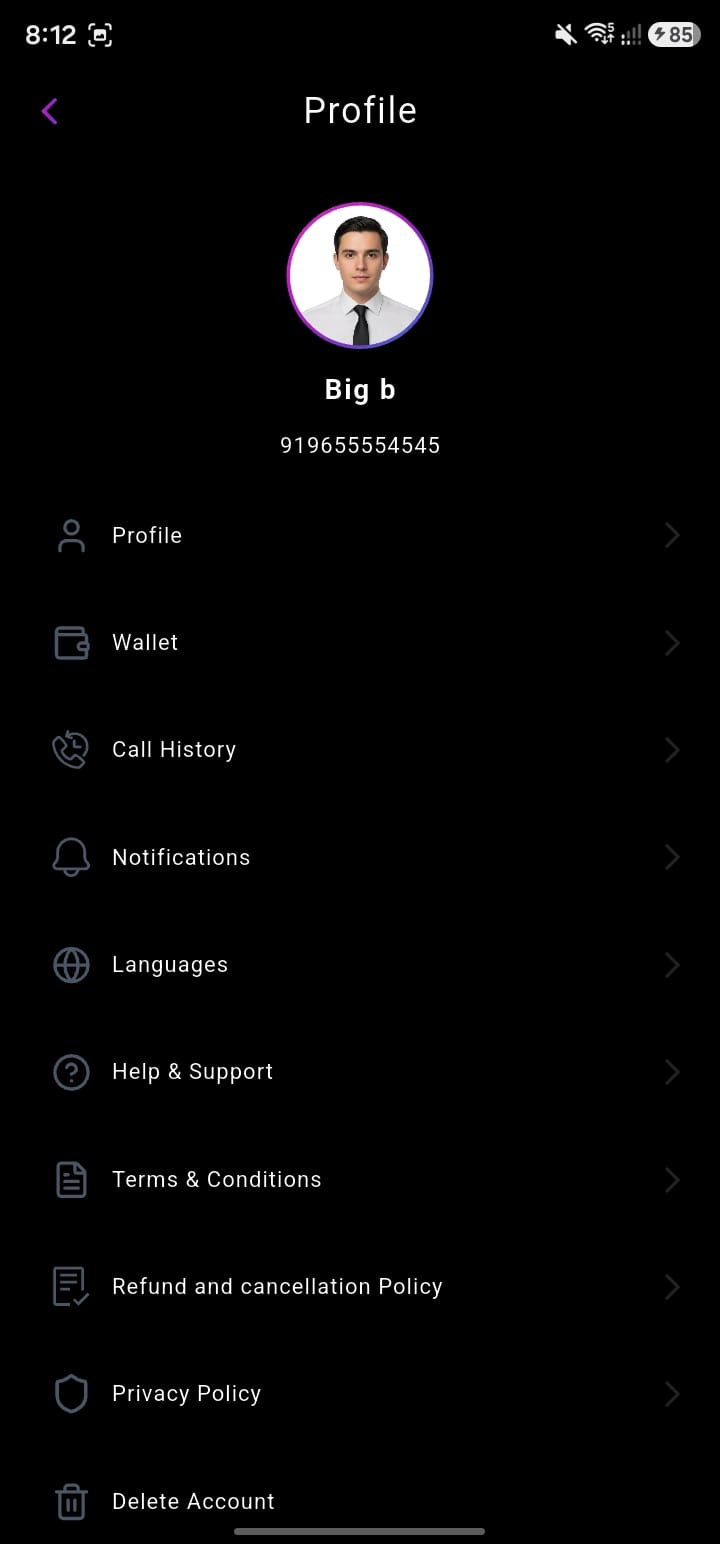
Tap Delete Account
Scroll to the bottom of the Profile menu and tap the Delete Account tab.
3
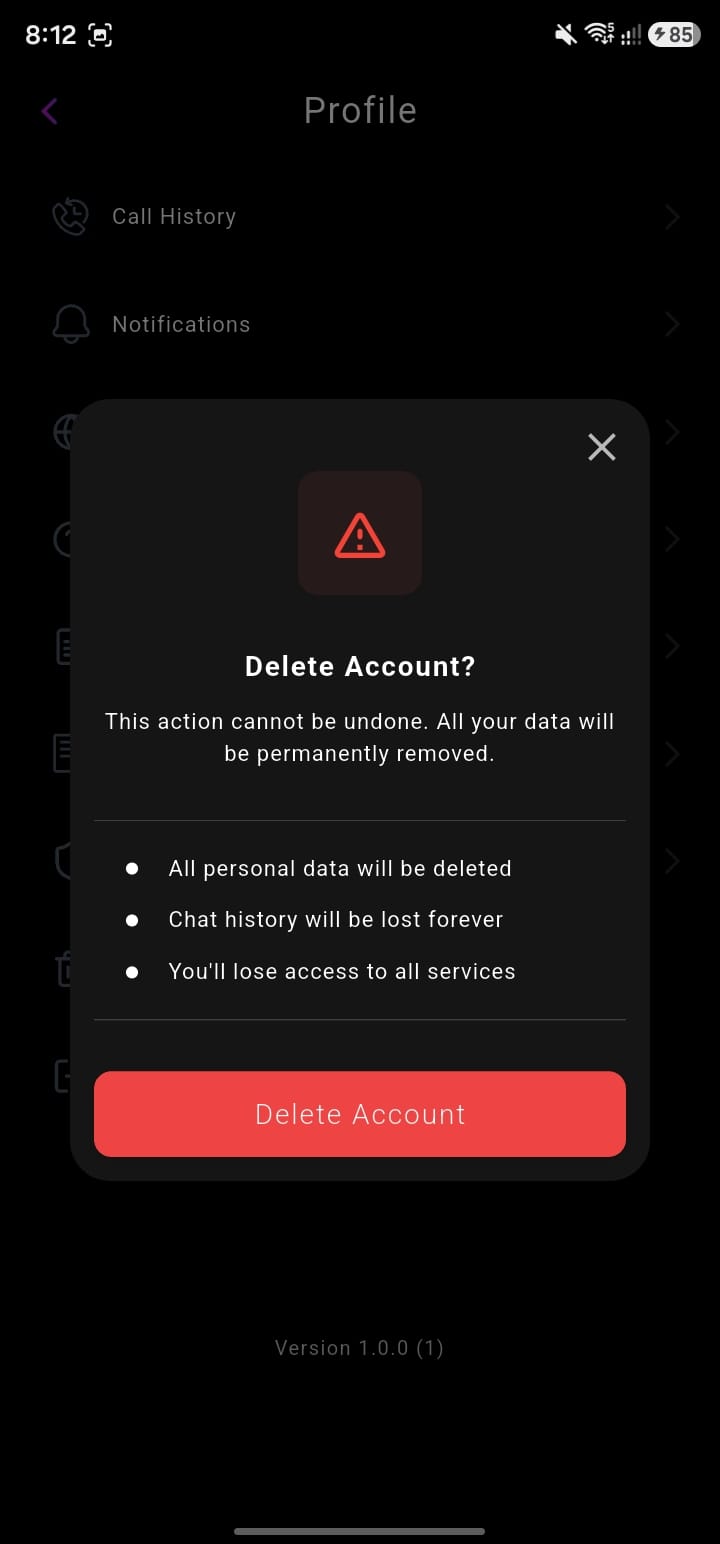
Confirm the deletion
In the confirmation pop-up, tap the Delete Account button to permanently remove your account.
Deleting your account is permanent. All personal data, call history and wallet balance will be removed and cannot be recovered. If you need help, reach out via info@changathiapp.com.